Writing, finished
Drafts that wait for you, bold, lists and links, sending from your other addresses, and a check for a forgotten attachment.
Email for iPhone, iPad and Mac · Gmail, Outlook and iCloud
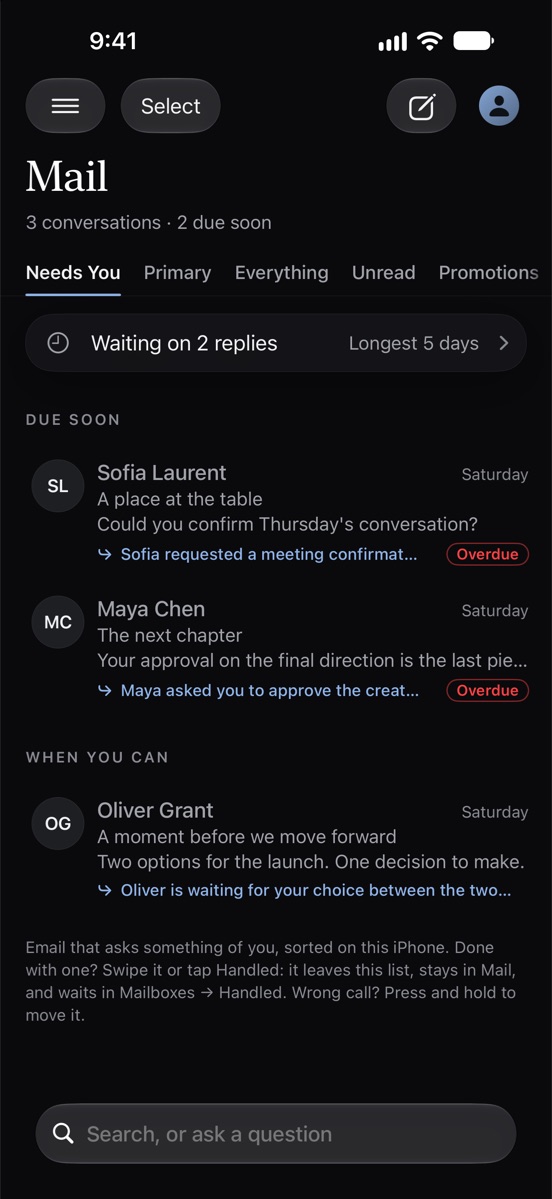
Corres opens on what needs you: every email that asks something of you, with the reason why. The rest of your mail is one swipe along, quiet until you’re ready. All read and sorted on your iPhone.
In beta on TestFlight. Coming to the App Store.
How Corres reads your mail
Most email asks nothing of you. Corres finds the ones that do, says why, and lets the rest step back, so a full inbox reads like a short note.
Needs You
The emails that ask something of you come first, each with the reason it’s there. Who still owes you a reply sits one row above. Everything else waits in Primary until you get to it.
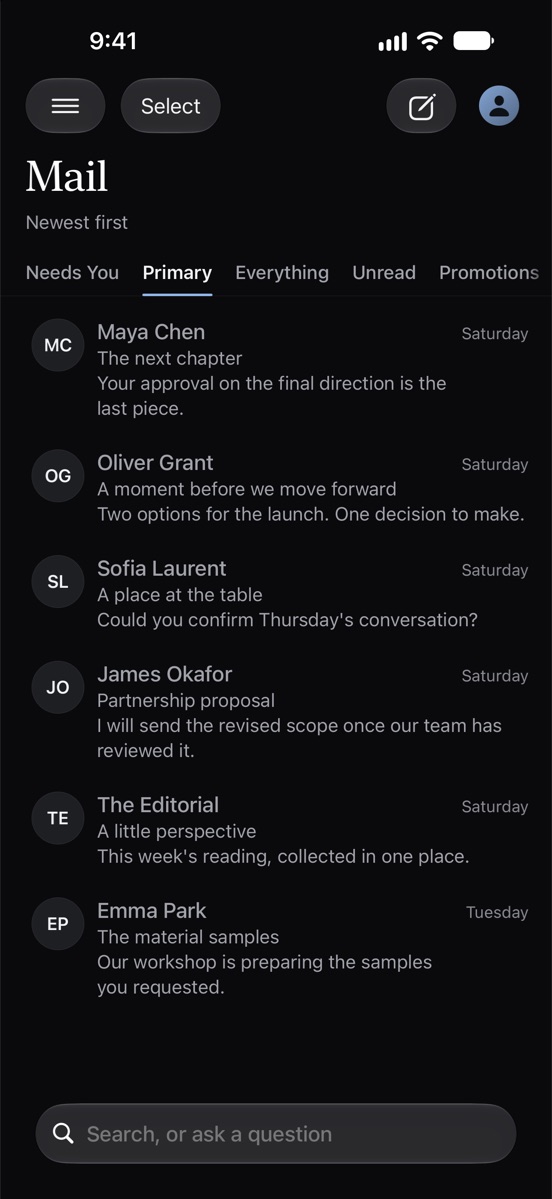
People and what’s urgent up top. Promotions, Social and Updates beside it, placed more carefully than Gmail’s own tabs. Move one email, or everything from a sender, and Corres learns, and shows you what it learned.
Notifications
New Outlook and iCloud mail notifies in seconds, even with Corres closed, with who it’s from and what it says. You choose, per account, whether that’s everything, people and time-sensitive mail, or only what needs you.
The next chapter
Your approval on the final direction is the last piece we need…
Partnership proposal
I’ll send the revised scope once our team has reviewed it.
Three conversations need you. You’re waiting on two replies.
Accounts
Gmail, Google Workspace, Outlook, Microsoft 365 and iCloud Mail, side by side, newest first. Each keeps its own name, its own color, its own notifications and signatures. Tap your photo to see just one.
Signature
iPhone, iPad and Mac
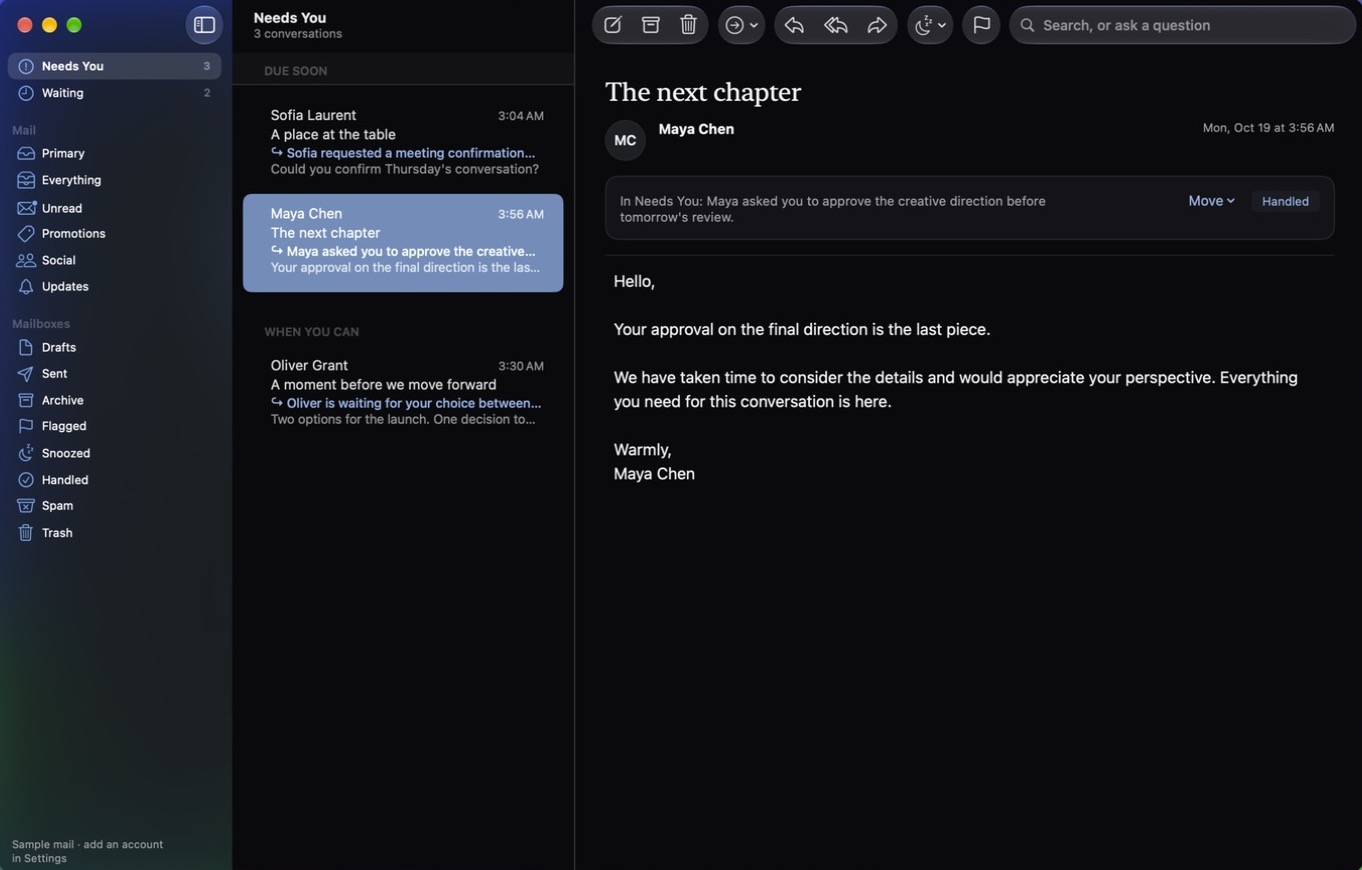
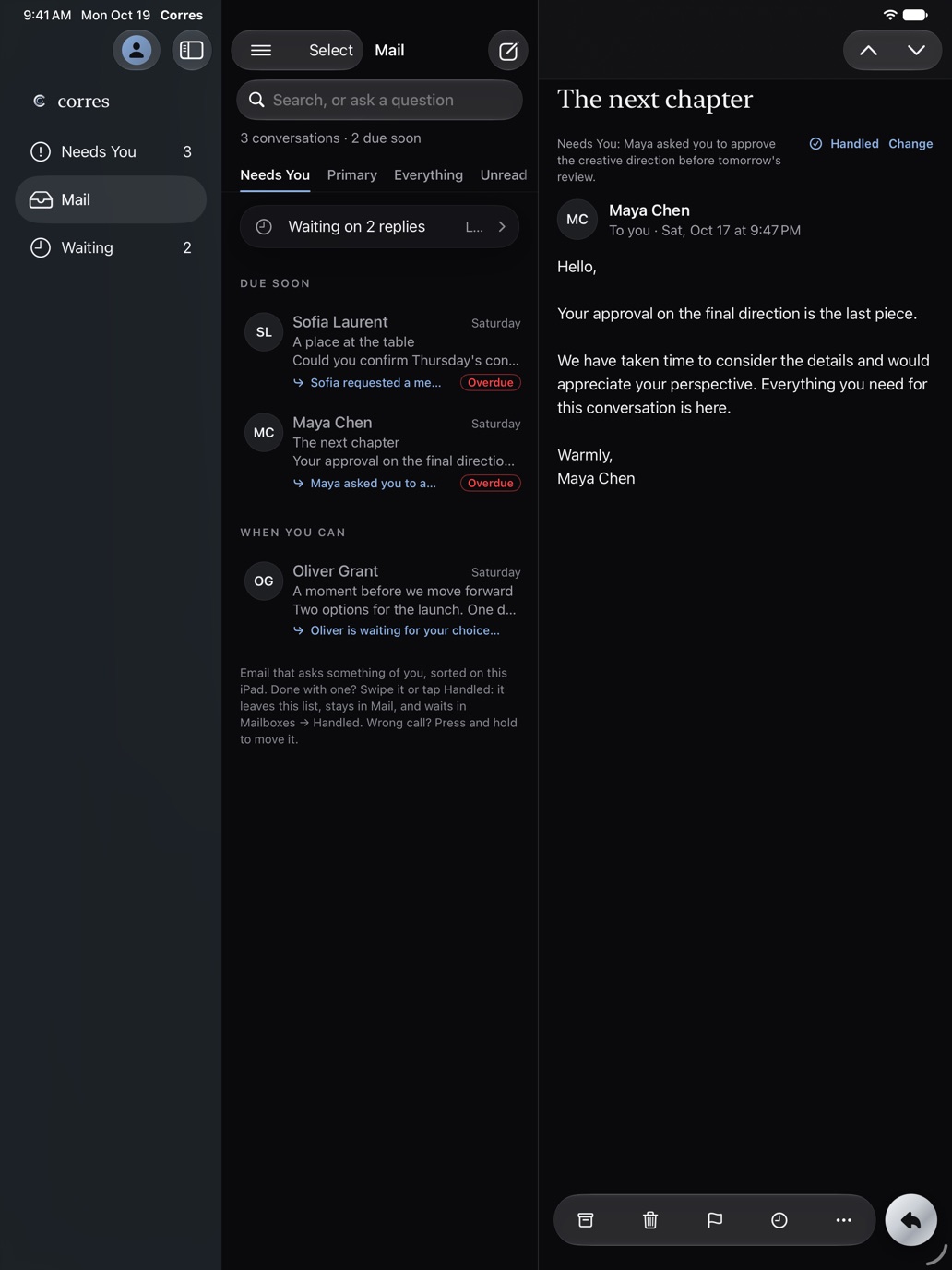
The same Needs You, the same sorting and your same accounts on all three. Add an account once and it’s on your other devices too, through iCloud Keychain. On the Mac, a native app with Mail’s shortcuts and Gmail’s.
And everything you’d expect
Corres runs on its own mail engine. Archive and delete happen the moment you swipe, even with no signal, and go through when you’re back online. What you do on the web or another device shows up here.
Drafts that wait for you, bold, lists and links, sending from your other addresses, and a check for a forgotten attachment.
Schedule an email, and get a reminder if nobody replies. Undo Send for when you change your mind.
Long threads summarized and checked against the email itself, and replies drafted in your voice, by Apple Intelligence on the iPhone.
Search every account at once, with filters like from: and has:attachment. Or ask, “When is my flight?”, and get the answer from your own email, with the messages it came from.
Accept, Maybe or Decline right in the email, and turn your automatic reply on from your phone.
Share a page or photos from any app and write the email right in the Share sheet.
Leave a mailing list the way the sender intended, without visiting their site.
Remote images and read-receipt trackers are blocked until you choose to show them.
A native Mac app with its own windows, menus and keyboard shortcuts, three columns on iPad, and your accounts and choices on all of them through iCloud.
Private by design
Your email is read on your own devices. Not on our servers, and never by an AI company.
Mail comes straight from Google, Microsoft or Apple to your iPhone, iPad or Mac and stays there, protected by Apple’s built-in encryption. Corres’s servers never receive it.
Needs You, summaries, suggested replies and answers in Search all run on your device. Nothing is sent to an AI service or used to train one.
No ads, no analytics, no tracking SDKs, no read receipts. Corres is paid for by the people who use it.
Read the full privacy policy. Corres’s use and transfer of information received from Google APIs adheres to the Google API Services User Data Policy, including the Limited Use requirements.
Pricing
Every account, every mail feature, free. Pro adds the parts that read your mail for you.
Every account, forever
Try it free first
Gmail and Google Workspace, Outlook.com, Hotmail and Live, work or school Microsoft 365, and iCloud Mail. Add as many as you like; they share one inbox. iCloud asks for an app-specific password instead of your Apple Account password, and Corres walks you through making one in about a minute.
Postwright is the mail engine we built for Corres. It talks to Gmail, Outlook and iCloud Mail each in its own way, on your device, so your actions are instant, Undo always works, and every account stays in step with the web. It’s why Corres doesn’t need a server of its own to hold your mail.
No. Your mail is downloaded from Google, Microsoft or Apple directly to your iPhone, iPad or Mac and processed there. An optional notification relay only learns that your mailbox changed, never what’s in it. The privacy policy has the details.
No. Sorting, Needs You and Waiting work on every supported iPhone, iPad and Mac. Summaries and drafted replies use Apple Intelligence where your device has it.
Yes. Corres runs on iPhone, iPad and Mac: three columns on iPad, and on the Mac a native app with its own windows, menus and keyboard shortcuts, including Mail’s and Gmail’s. One Corres Pro covers all three, and the accounts you add follow you through iCloud Keychain.
Yes. Your mail is on your device, so it reads offline, and anything you archive, delete, flag or mark read goes through as soon as you’re back online.
Corres is in beta on TestFlight. Ask for early access, and it’s coming to the App Store.
A calmer inbox, read on your iPhone, iPad and Mac, from a small studio that would rather you spent less time in it.